Body
Guide Topic
How to enable copy/paste from Snagit to Microsoft Teams.
Instructions
This issue is caused by images that have transparency. To resolve this issue follow these steps:
- Open Snagit Editor
- Browse to:
- Snagit 2018 and later: Edit > Editor Preferences > Share tab > Clipboard
- Snagit 13: File > Editor Preferences > Share tab > Clipboard
- Check Disable image transparency on clipboard
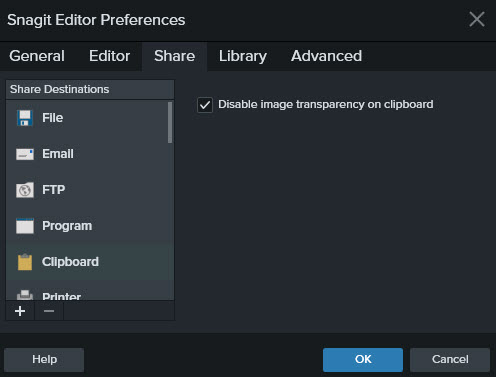
- Click OK, and try copying and pasting into Teams again